



Bosta & Aramex shipping
Create the shipment, print the waybill and follow the status without leaving the order page. Bosta and Aramex are built in, with more carriers supported.
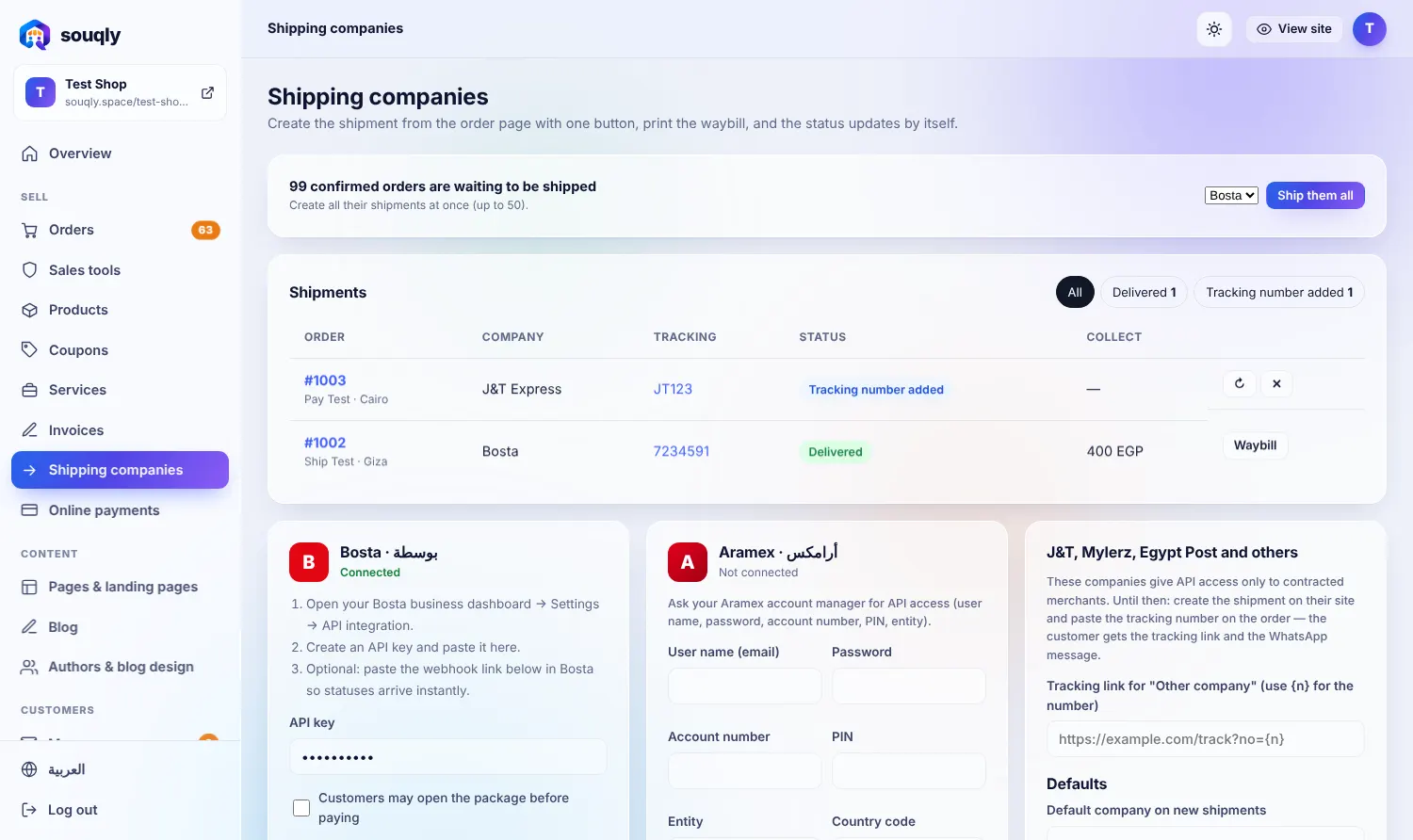
Everything in Bosta & Aramex shipping
Create a Bosta or Aramex shipment from the order
Print waybills in one click
Tracking number saved on the order
Status updates from the carrier
Cash-on-delivery amount passed to the carrier
Shipments list with filters
From zero to live in three steps
- 1Add your carrier account in Shipping companies.
- 2Open an order and click Create shipment.
- 3Print the waybill; status updates arrive automatically.


Built for the way you sell
Confirm first, ship second, and cut returns.
A team that handles hundreds of orders a day.
Local currencies, gateways and tax invoices.
Move orders from chats into one organised inbox.
Questions about Bosta & Aramex shipping
Which carriers are supported?
Bosta and Aramex are built in, plus J&T, Mylerz and others you can track manually.
Do I need my own carrier contract?
Yes. You connect your own carrier account, so rates are the ones you negotiated.
Related features
Fees per city and free shipping over an amount.
Learn more →Orders & paymentsAll orders in one placeStatuses, notes, shipping and CSV export, with a risk badge on every order.
Learn more →Orders & paymentsWhatsApp confirmationReady messages for confirmation, shipping and delivery with one tap.
Learn more →Want Bosta & Aramex shipping working in your store?
Leave your details and a real person from the Souqly team will reply within a few hours — on WhatsApp or email, whichever you prefer.
- Reply within a few hours
- Free setup advice, no obligation
- 0% commission on your sales
- Arabic support on WhatsApp
Your store. Live this week.
Free address, Arabic and English, ready themes. Start in minutes — no code, no developers.